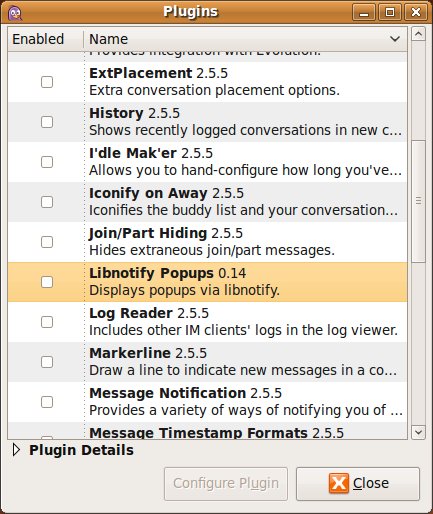
I just upgraded my PC to Ubuntu 9.04 - the Jaunty Jackalope. And Pidgin notifications of Notify-OSD annoyed me much. So to disable them just go to Pidgin -> Tools -> Plugins and uncheck
Libnotify Popups.
See also how to Disable Pidgin Pop-Up Notification System on
http://ubuntu-tutorials.com/2009/09/12/disable-pidgin-pop-up-notification-system/